YubiKey Hardware Security Keys vs Biometric Passkeys for Retirement Portals
YubiKey hardware security keys and biometric platform passkeys offer distinct solutions for securing retirement portals, addressing the critical need for robust authentication. While YubiKeys provide a tangible, physical security measure, biometric passkeys leverage user biometrics for convenience. Each method has limitations, but both can significantly enhance security for users managing sensitive financial information.
Understanding the Architecture of YubiKeys and Biometric Passkeys
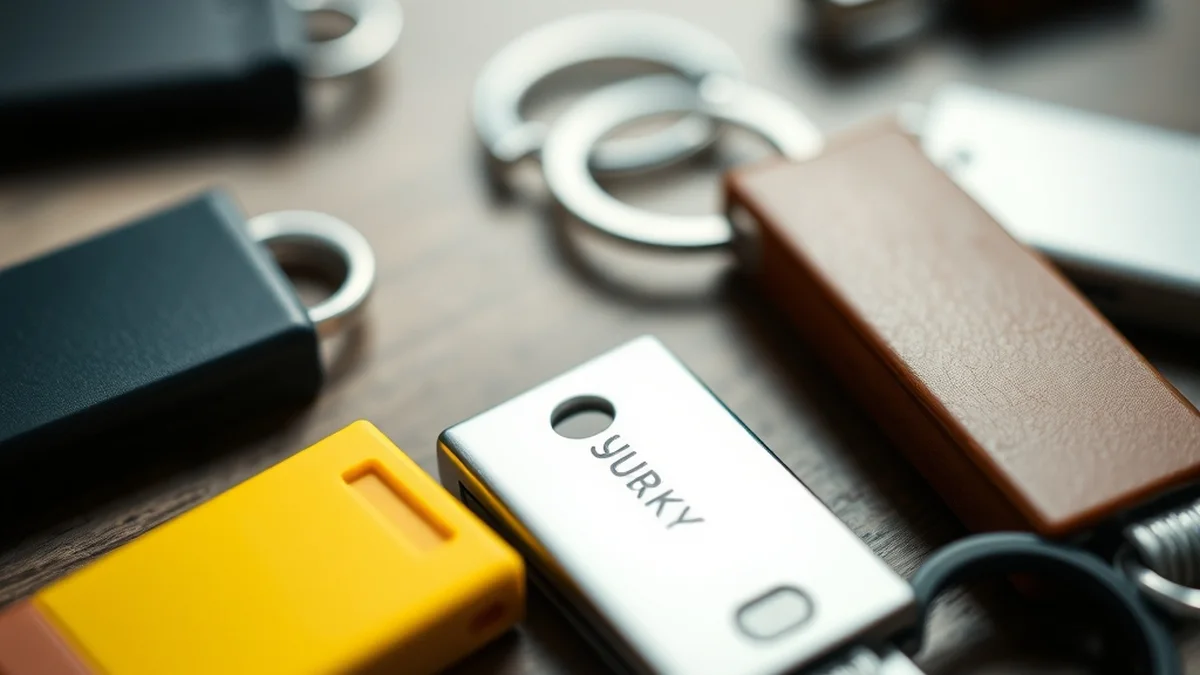
YubiKeys are physical devices that utilize Universal 2nd Factor (U2F) and FIDO2 standards to authenticate users. These keys generate one-time passwords (OTPs) or use public key cryptography to verify identity, ensuring that only authorized users can access accounts. The hardware is designed to resist phishing attacks, as the key must be physically present during the authentication process. This physicality adds a layer of security that is difficult to replicate.
On the other hand, biometric passkeys rely on the unique physical characteristics of the user, such as fingerprints or facial recognition, to authenticate access. These systems often integrate with existing biometric sensors in smartphones and computers, allowing users to authenticate without additional hardware. While convenient, the reliance on cloud-based biometric data raises concerns about privacy and data security, as this information can be vulnerable to breaches if not properly secured.
Real-World Latency and Privacy Trade-Offs
When considering latency, YubiKeys typically provide faster authentication times compared to biometric systems. The process of inserting a YubiKey and tapping it to authenticate is often instantaneous, allowing users to access their accounts without delay. In contrast, biometric systems can experience latency due to the need for sensor activation and data processing, particularly in low-light conditions or when the sensor is obstructed. For instance, a fingerprint scanner may take longer to authenticate if the user’s fingers are wet or dirty.
Privacy is another critical factor in this comparison. YubiKeys store authentication data locally, meaning that sensitive information does not leave the device. This minimizes the risk of data exposure during transmission. Conversely, biometric passkeys often require cloud storage for user data, which can lead to potential vulnerabilities. For example, if a biometric database is compromised, attackers could gain access to sensitive information that is much harder to change than a password. Users must weigh the convenience of biometric authentication against the potential privacy risks involved.
Hardware Versus Cloud Economics
From an economic standpoint, YubiKeys represent a one-time investment in hardware that can provide long-term security benefits. The cost of a YubiKey ranges from $20 to $70, depending on the model and features. Once purchased, there are no ongoing fees, and the device can be used across multiple platforms and services. This makes YubiKeys a cost-effective solution for users who prioritize security and are willing to invest upfront.
In contrast, biometric authentication systems often rely on cloud services, which can incur ongoing costs for both users and service providers. While many smartphones come equipped with biometric capabilities, the backend infrastructure required to securely store and process biometric data can be expensive to maintain. For instance, companies may need to invest in advanced encryption and security measures to protect user data, which can lead to higher service fees. Users should consider these economic factors when choosing between hardware and cloud-based solutions.
Related Sterling Lab Briefings: Explore deeper benchmarks in Dietary Fiber and Prebiotics: Boosting Short-Chain Fatty Acid Signaling and Solo 401(k) vs SEP IRA: Contribution Limits for Self-Employed Consultants.
Deployment Checklist for Retirement Portals
When implementing either YubiKey or biometric passkeys for retirement portals, several key considerations must be addressed to ensure a smooth deployment. First, assess the existing infrastructure to determine compatibility with YubiKeys or biometric systems. For YubiKeys, ensure that the portal supports U2F or FIDO2 standards. For biometric systems, evaluate the hardware capabilities of users’ devices to confirm they can support biometric authentication.
Next, consider user education and support. Many users may be unfamiliar with YubiKeys or biometric authentication, so providing clear instructions and support resources is essential. This could include tutorials, FAQs, and customer support channels to assist users in setting up and using their chosen authentication method. Additionally, establish a fallback authentication method for users who may lose their YubiKey or experience issues with biometric recognition.
Finally, conduct thorough testing before full deployment. This includes stress testing the authentication process under various conditions to identify potential latency issues or security vulnerabilities. By addressing these considerations, retirement portals can enhance security while ensuring a positive user experience.
| Feature | YubiKey | Biometric Passkeys |
|---|---|---|
| Authentication Method | Physical device (U2F/FIDO2) | Biometric data (fingerprint/face) |
| Privacy | Data stored locally | Data stored in the cloud |
| Cost | $20 – $70 (one-time) | Variable (ongoing costs) |
| Latency | Low (instantaneous) | Variable (dependent on conditions) |
| User Experience | Requires physical key | Convenient, no extra hardware |
Choosing between YubiKey hardware security keys and biometric platform passkeys involves careful consideration of security needs, user experience, and economic factors. YubiKeys offer a robust, privacy-focused solution that minimizes risks associated with data breaches, while biometric passkeys provide convenience at the potential cost of privacy. Ultimately, the best choice will depend on individual user preferences and the specific security requirements of retirement portals.
Prioritizing local control, open security standards, and repairable hardware keeps consumer tech working for you.