E-Ink Digital Paper Tablets vs Matte LCD Monitors: Which Reduces Eye Fatigue?
E-Ink digital paper tablets and matte LCD monitors both aim to reduce eye fatigue, but they do so through different technologies and user experiences. E-Ink displays mimic the appearance of ink on paper, providing a more comfortable reading experience, while matte LCDs offer versatility for various tasks. However, E-Ink devices are limited in functionality, making them ideal for specific use cases like reading and note-taking, whereas matte LCDs excel in multitasking environments.
Understanding E-Ink and Matte LCD Technologies
E-Ink technology, or electronic ink, utilizes tiny microcapsules filled with black and white particles suspended in a clear fluid. When an electric field is applied, the particles move to the surface, creating text or images that resemble traditional ink on paper. This technology is inherently reflective, meaning it relies on ambient light rather than backlighting, which significantly reduces glare and eye strain. Devices like the Kindle Paperwhite exemplify this technology, providing a reading experience that closely mimics printed materials.
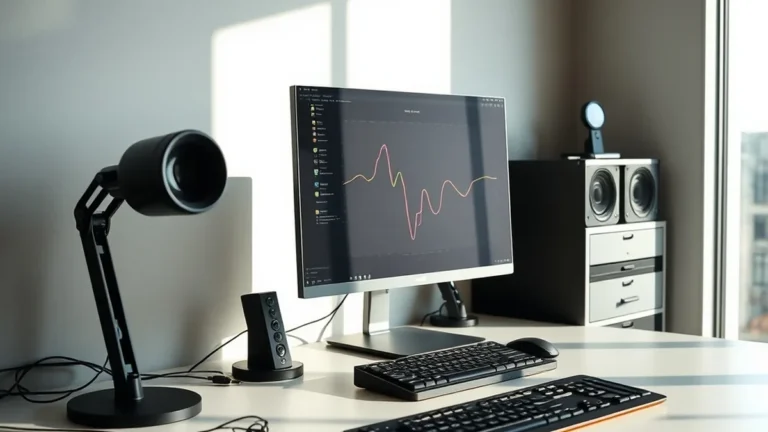
On the other hand, matte LCD monitors use liquid crystal displays with a matte finish to diffuse reflections and reduce glare. These monitors employ a backlight to illuminate the screen, which can lead to increased eye fatigue over prolonged use. However, they offer a broader range of functionalities, including color reproduction and refresh rates suitable for video playback and gaming. For example, a matte LCD monitor can be used for graphic design, coding, or general office tasks, making it a versatile choice for consumers.
Latency and Privacy Considerations
When comparing E-Ink and matte LCD technologies, latency plays a crucial role in user experience. E-Ink displays have a slower refresh rate, typically around 60 Hz, which can lead to noticeable lag when scrolling or navigating through dynamic content. This limitation makes E-Ink devices less suitable for tasks requiring quick interactions, such as gaming or video editing. However, for reading and note-taking, this latency is often negligible, as the static content allows for a more relaxed interaction.
In terms of privacy, E-Ink devices often operate independently of cloud services, reducing the risk of data breaches associated with online storage. For instance, many E-Ink tablets allow users to store documents locally, minimizing exposure to potential cyber threats. Conversely, matte LCD monitors frequently rely on cloud-based applications for functionality, which can introduce vulnerabilities. Users must weigh the trade-offs between convenience and security, particularly when sensitive information is involved.
Cost-Benefit Analysis: Hardware vs. Cloud Economics
The economic implications of choosing between E-Ink tablets and matte LCD monitors are significant. E-Ink devices typically have lower initial costs, with entry-level models starting around $100. Their energy efficiency also contributes to long-term savings, as they consume minimal power, especially when displaying static content. This efficiency can be particularly beneficial for users who read extensively or take notes, as they can go weeks without recharging.
In contrast, matte LCD monitors can range from $150 to over $1,000, depending on specifications such as size, resolution, and refresh rate. While they offer greater versatility, the ongoing costs associated with cloud services and potential software subscriptions can add up. For example, a graphic designer might require software that operates best on a matte LCD, but the associated costs for cloud storage and software licenses can make this option more expensive over time. Users must consider both upfront and ongoing costs when deciding which technology best fits their needs.
Real-World Applications and User Scenarios
Choosing between E-Ink and matte LCD technologies often boils down to specific user scenarios. For avid readers, students, and professionals who primarily engage with text-based content, E-Ink tablets are ideal. They offer a comfortable reading experience, especially for long periods, and are lightweight and portable. Devices like the reMarkable tablet not only provide a paper-like experience but also allow for handwritten notes, making them popular among students and professionals alike.
Conversely, matte LCD monitors are better suited for users who require multitasking capabilities. Professionals in fields such as graphic design, programming, or video editing benefit from the color accuracy and responsiveness of these displays. For example, a software developer might need to run multiple applications simultaneously, making a matte LCD monitor a more practical choice. Additionally, the ability to connect to cloud services for collaboration enhances productivity, albeit with some trade-offs in privacy and potential eye strain.
Related Sterling Lab Briefings: Explore deeper benchmarks in Local Open-Weight LLM Inference on Consumer GPUs vs Cloud API Privacy and Matter 1.3 Smart Home Thread Border Routers: No Vendor Cloud Lock-In.
Deployment Checklist: Choosing the Right Technology
When considering the deployment of E-Ink tablets versus matte LCD monitors, users should evaluate their specific needs and preferences. Here’s a checklist to guide the decision-making process:
- Primary Use Case: Determine whether the primary function is reading, note-taking, or multitasking.
- Budget: Assess the initial investment and ongoing costs associated with each technology.
- Eye Comfort: Consider personal sensitivity to glare and eye fatigue when using screens for extended periods.
- Portability: Evaluate whether a lightweight, portable device is necessary for your lifestyle.
- Software Requirements: Identify any specific applications or software that may dictate the choice of technology.
By carefully considering these factors, consumers can make informed decisions that align with their needs and preferences, ensuring a more satisfying user experience.
Prioritizing local control, open security standards, and repairable hardware keeps consumer tech working for you.