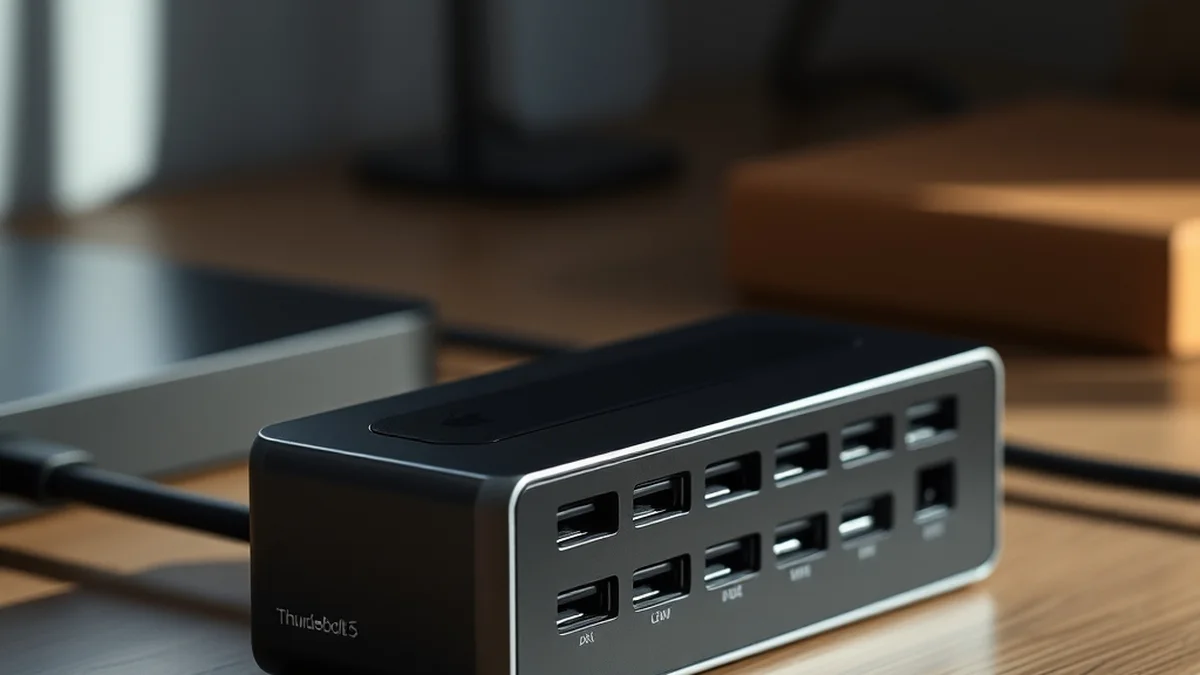
Thunderbolt 5 Dock: Power Delivery Architecture & Dual 6K Display Bandwidth
Thunderbolt 5 docks are designed to solve the challenges of high-bandwidth connectivity and power delivery for modern devices, especially in creative and professional environments. With dual 6K display support and enhanced power delivery architecture, these docks cater to users needing seamless data transfer and charging capabilities. However, potential limitations include compatibility issues with older devices and the need for specific cables to achieve maximum performance.
Understanding Thunderbolt 5 Architecture
Thunderbolt 5 represents a significant upgrade over its predecessor, Thunderbolt 4, primarily through its enhanced bandwidth capabilities, which can reach up to 80 Gbps. This increase is achieved by utilizing a new signaling technology that combines PCIe 4.0 and DisplayPort 2.0 protocols. The architecture allows for dual 6K displays at 60Hz or a single 8K display, making it particularly appealing for professionals in video editing, graphic design, and gaming. The ability to connect multiple high-resolution displays without sacrificing performance is a crucial advancement for users who rely on expansive visual workspaces.
Moreover, Thunderbolt 5 docks incorporate advanced power delivery architecture that can supply up to 140W of power to connected devices. This means that not only can the dock power laptops and peripherals simultaneously, but it can also charge high-performance devices that require more power. The integration of USB4 support further enhances compatibility with a broader range of devices, ensuring that users can connect their existing hardware without needing to replace it. However, users must be cautious about cable quality and length, as these factors can significantly impact performance.
Real-World Latency and Privacy Trade-offs
While Thunderbolt 5 offers impressive specifications, real-world performance can vary based on several factors, including cable quality, device compatibility, and environmental conditions. Latency, while generally low due to the direct connection of devices, can be affected by the number of peripherals connected to the dock. For instance, daisy-chaining multiple devices may introduce slight delays, particularly in high-demand scenarios like gaming or real-time video editing. Users should consider their specific use cases when evaluating the dock’s performance.
Additionally, privacy and security concerns arise with the increased connectivity and data transfer capabilities of Thunderbolt 5. As more devices connect to a single dock, the potential for data interception increases, particularly in shared or public environments. Users must implement robust security measures, such as using encrypted connections and maintaining updated firmware on their devices. The balance between convenience and security is crucial, as the benefits of high-speed connectivity must be weighed against the risks of potential data breaches.
Hardware vs. Cloud Economics in Consumer Tech
The shift toward Thunderbolt 5 docks reflects a broader trend in consumer technology where hardware capabilities are increasingly leveraged to reduce reliance on cloud services. With the ability to connect multiple high-resolution displays and peripherals, users can perform demanding tasks locally without the need for cloud-based processing. This shift not only enhances performance but also reduces ongoing subscription costs associated with cloud services.
However, the economics of hardware versus cloud solutions are complex. While investing in high-quality Thunderbolt 5 docks and compatible devices may incur higher upfront costs, the long-term savings from reduced cloud dependency can be significant. For instance, a creative professional who relies on cloud storage for large video files may find that local storage solutions combined with Thunderbolt 5 docks provide a more cost-effective and efficient workflow. The initial investment in hardware can lead to increased productivity and lower operational costs over time.
Related Sterling Lab Briefings: Explore deeper benchmarks in Open-Source DNS Sinkholes vs Hardware Firewall Appliances for Home Network and Matter 1.3 Smart Home Thread Border Routers: No Vendor Cloud Lock-In.
Deployment Checklist for Thunderbolt 5 Docks
Before integrating a Thunderbolt 5 dock into your setup, it is essential to consider several key factors to ensure optimal performance and compatibility. First, verify that your devices support Thunderbolt 5 or USB4, as older devices may not fully utilize the dock’s capabilities. Additionally, assess the power requirements of your devices to ensure that the dock can provide adequate power delivery.
Next, consider the types of peripherals you plan to connect. For example, if you intend to use dual 6K displays, ensure that your graphics card can support this configuration. Furthermore, invest in high-quality cables that meet Thunderbolt 5 specifications to maintain performance standards. Lastly, review the dock’s firmware and software compatibility with your operating system to avoid potential issues during deployment.
| Feature | Thunderbolt 4 | Thunderbolt 5 |
|---|---|---|
| Max Bandwidth | 40 Gbps | 80 Gbps |
| Display Support | Dual 4K at 60Hz | Dual 6K at 60Hz / Single 8K |
| Power Delivery | Up to 100W | Up to 140W |
| Protocol Support | USB4, DisplayPort 1.4 | USB4, DisplayPort 2.0 |
Thunderbolt 5 docks are poised to become essential tools for professionals and tech enthusiasts seeking high-performance connectivity solutions. By understanding the underlying architecture, evaluating real-world trade-offs, and considering the economic implications of hardware versus cloud solutions, users can make informed decisions that enhance their workflows. As the technology continues to evolve, staying informed about the latest developments will ensure that users can maximize the benefits of Thunderbolt 5 in their daily operations.
Prioritizing local control, open security standards, and repairable hardware keeps consumer tech working for you.