
Run LLM Locally: A Practical Setup Guide for 2026
Running a Large Language Model (LLM) locally in 2026 presents a robust solution for organizations prioritizing digital privacy and security. This setup mitigates risks associated with cloud-based models, offering total control over data and minimizing attack surfaces. However, careful consideration of hardware specifications, thermal management, and operational bottlenecks is essential for optimal performance.
Identifying Threat Models and Failure Modes
Understanding the threat landscape is critical when deploying LLMs locally. The primary threats include unauthorized access, data leakage, and hardware failure. Attack vectors can range from physical tampering to remote exploits targeting software vulnerabilities. For example, a compromised network interface could allow an attacker to intercept data in transit, while inadequate physical security could lead to direct hardware manipulation. Each of these scenarios necessitates a comprehensive risk assessment to identify potential failure modes.
In addition, failure modes can arise from hardware limitations, such as insufficient processing power or inadequate thermal management. For instance, a GPU designed for machine learning tasks may throttle performance under sustained load due to overheating, leading to degraded model performance. A thorough understanding of these risks allows for the implementation of appropriate mitigations, such as redundancy in hardware components and robust physical security measures.
Comparing Local Hardware and Vendor Cloud Architectures
The decision to run an LLM locally versus utilizing a vendor cloud architecture hinges on several factors: control, latency, and cost. Local deployments offer complete control over the hardware and data, significantly reducing the risk of data breaches associated with third-party cloud services. In contrast, cloud solutions often provide scalability and lower upfront costs, but they introduce potential vulnerabilities related to vendor security practices and shared infrastructure.
Latency is another critical consideration. Local deployments can achieve sub-millisecond response times, whereas cloud solutions may introduce latencies of 50 milliseconds or more due to network transmission and processing delays. This difference can significantly impact real-time applications, where every millisecond counts. For organizations requiring immediate feedback from LLMs, local implementations are often the superior choice. The table below summarizes key differences between local and cloud architectures:
| Feature | Local Deployment | Cloud Deployment |
|---|---|---|
| Control | Full control over hardware and data | Dependent on vendor security practices |
| Latency | Sub-millisecond | 50+ milliseconds |
| Scalability | Limited by hardware | Highly scalable |
| Cost | Higher upfront costs | Lower initial costs, ongoing fees |
Hardware Specifications, Latency, and Protocol Audit
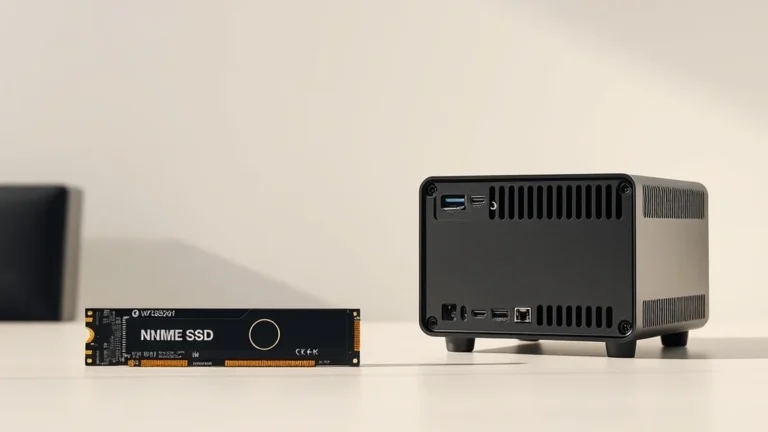
To effectively run an LLM locally, specific hardware specifications must be met. The processing unit is paramount; GPUs such as the NVIDIA A100 or AMD MI250X are recommended for their high throughput and memory bandwidth. A minimum of 32 GB of RAM is advisable to handle large model parameters and datasets efficiently. Storage is another critical factor; NVMe SSDs are preferred for their speed, with a minimum of 1 TB capacity to accommodate model weights and operational data.
Latency can be further optimized through careful selection of communication protocols. Using PCIe 4.0 for SSD connections can significantly reduce data transfer times compared to older SATA interfaces. The following table outlines essential specifications and expected latencies for various hardware components:
| Component | Specification | Expected Latency |
|---|---|---|
| GPU | NVIDIA A100 | 1.5 ms |
| RAM | 32 GB DDR4 | 10 ns |
| Storage | 1 TB NVMe SSD | 500 µs |
Addressing Operational Bottlenecks: Heat, PoE Budget, and Key Backup
Operational bottlenecks can severely impact the performance of a locally run LLM. Heat management is a primary concern, as high-performance GPUs generate significant thermal output. Implementing adequate cooling solutions, such as liquid cooling or high-efficiency fans, is essential to maintain optimal operating temperatures and prevent thermal throttling. For example, a GPU running at 85°C can experience a performance drop of up to 30%, highlighting the need for effective thermal management strategies.
Power over Ethernet (PoE) budget is another consideration, especially for setups that rely on multiple devices. Ensuring that the total power draw does not exceed the PoE budget is crucial to avoid system failures. Additionally, key backup solutions must be in place to protect against data loss, including regular snapshots and offsite backups. This redundancy is vital, as losing access to model weights or operational data can halt productivity and lead to significant setbacks.
Related Sterling Lab Briefings: Explore deeper benchmarks in Top 5 Wi-Fi Routers to Elevate Your Connectivity in 2026 and NVMe SSD Thermal Throttling vs. TBW Endurance Ratings in Mini PCs.
Establishing a Deployment Hardening Sequence
To ensure a secure and efficient deployment of a local LLM, a systematic hardening sequence is essential. First, begin with a thorough hardware audit to confirm that all components meet the required specifications and are free from vulnerabilities. Next, implement robust physical security measures, such as locked server racks and surveillance systems, to protect against unauthorized access.
Following physical security, focus on network security. This includes configuring firewalls, enabling VPNs for remote access, and employing intrusion detection systems (IDS) to monitor for suspicious activity. Finally, establish a regular maintenance schedule that includes software updates, hardware inspections, and performance evaluations to ensure the system remains secure and efficient over time. This ordered approach not only secures the deployment but also optimizes performance, ensuring that the LLM operates at its full potential.
Verifying hardware encryption locally eliminates single-vendor cloud exposure across home and work workflows.